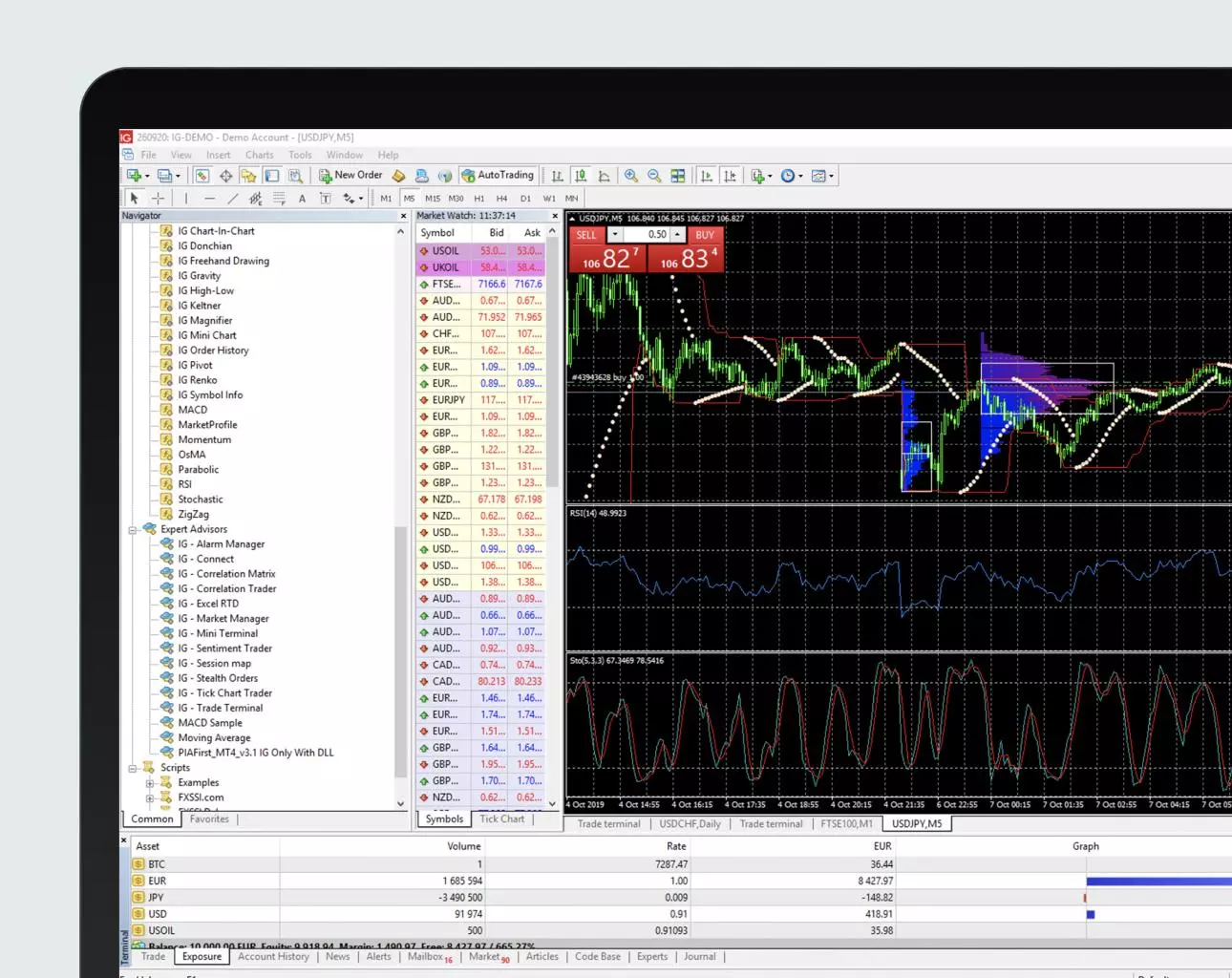
In the world of online trading, MetaTrader 4 (MT4) stands out as one of the most popular and reliable platforms. Whether you’re new to forex trading or an experienced trader looking for a dependable tool, MT4 offers a feature-rich and user-friendly experience. This article will guide you through the basics of Metatrader 4 for beginners, providing a step-by-step tutorial to get you started.
What is MetaTrader 4?
MetaTrader 4 is a trading platform developed by MetaQuotes Software, widely used for trading forex, CFDs, and other financial markets. It offers a range of tools and features like technical analysis, automated trading (via Expert Advisors), and mobile trading capabilities, making it a go-to choice for traders worldwide.
Step 1: Download and Install MetaTrader 4
Before you can start trading, you’ll need to download and install the MT4 platform. Here’s how:
Visit the Official Website: Go to the MetaQuotes website or your chosen broker’s site to download MT4.
Select Your Operating System: Choose the version compatible with your operating system—Windows, Mac, iOS, or Android.
Download and Install: Follow the on-screen instructions to download and install the software on your device.
Step 2: Open a Demo Account
For beginners, it’s advisable to start with a demo account to practice trading without risking real money.
Launch MT4: Once installed, open the MetaTrader 4 application.
Create a Demo Account: Click on “File” > “Open an Account” and select “Demo Account.”
Fill in Your Details: Provide the required details, such as name, email, and phone number, then choose your account type and initial deposit.
Complete Registration: Submit the form to receive your demo account credentials.
Step 3: Familiarize Yourself with the Interface
Understanding the MT4 interface is crucial for efficient trading. Here’s a brief overview:
Market Watch: Displays real-time quotes for various trading instruments.
Navigator: Provides access to your accounts, indicators, and Expert Advisors.
Chart Window: Visual representation of the price movements of selected trading instruments.
Terminal: Displays account information, trade history, and alerts.
Step 4: Execute Your First Trade
Once you’re comfortable with the interface, you’re ready to execute your first trade.
Select a Currency Pair: In the Market Watch window, right-click on your preferred currency pair and select “Chart Window.”
Analyze the Market: Use technical indicators and charting tools to analyze the market.
Open a Trade: Click on “New Order” in the toolbar. A new window will appear where you can set the trade parameters—volume, stop loss, take profit, etc.
Execute the Trade: Click “Buy” or “Sell” to execute your trade.
Step 5: Monitor and Manage Your Trades
Effective trade management is key to successful trading.
Monitor Active Trades: Use the Terminal window to keep an eye on your open trades, balance, and equity.
Adjust Stop Loss/Take Profit: You can modify your trades by right-clicking on the open position in the Terminal window and selecting “Modify or Delete Order.”
Close a Trade: To close an open trade, right-click on it in the Terminal window and select “Close Order.”
Step 6: Explore Advanced Features
As you gain confidence, explore some of the advanced features MT4 offers:
Expert Advisors (EAs): Automate your trading strategies using EAs. Navigate to the Navigator window, right-click on “Expert Advisors,” and select “Create.”
Custom Indicators: Enhance your technical analysis by adding custom indicators. Download them from reputable sources and add them to your MT4 platform.
Backtesting: Test your trading strategies using historical data. Click on “View” > “Strategy Tester” to start backtesting.
Conclusion
MetaTrader 4 is an indispensable tool for anyone serious about trading forex and other financial instruments. By following this step-by-step tutorial, you can get started on the right foot and gradually build your trading skills. Remember, practice makes perfect, so make the most of your demo account before transitioning to live trading. Happy trading!